

ew foodservice technology usually looks simple in a demo. A kiosk takes orders, an app sends them ahead, and a kitchen screen shows the team what to make. Inside a busy convenience store, the picture is more complicated. Orders arrive from several channels at once, staff turn over quickly, and the morning rush leaves little room for a system that does not work the first time.
The difference between technology that helps and technology that disrupts is rarely the tool itself. It is how the tool is connected, introduced, staffed, and measured. As It’s All Goods explained in The Role of Technology in Convenience Store Foodservice, technology works best when it supports execution rather than standing apart from it. This article looks at how to put that into practice.
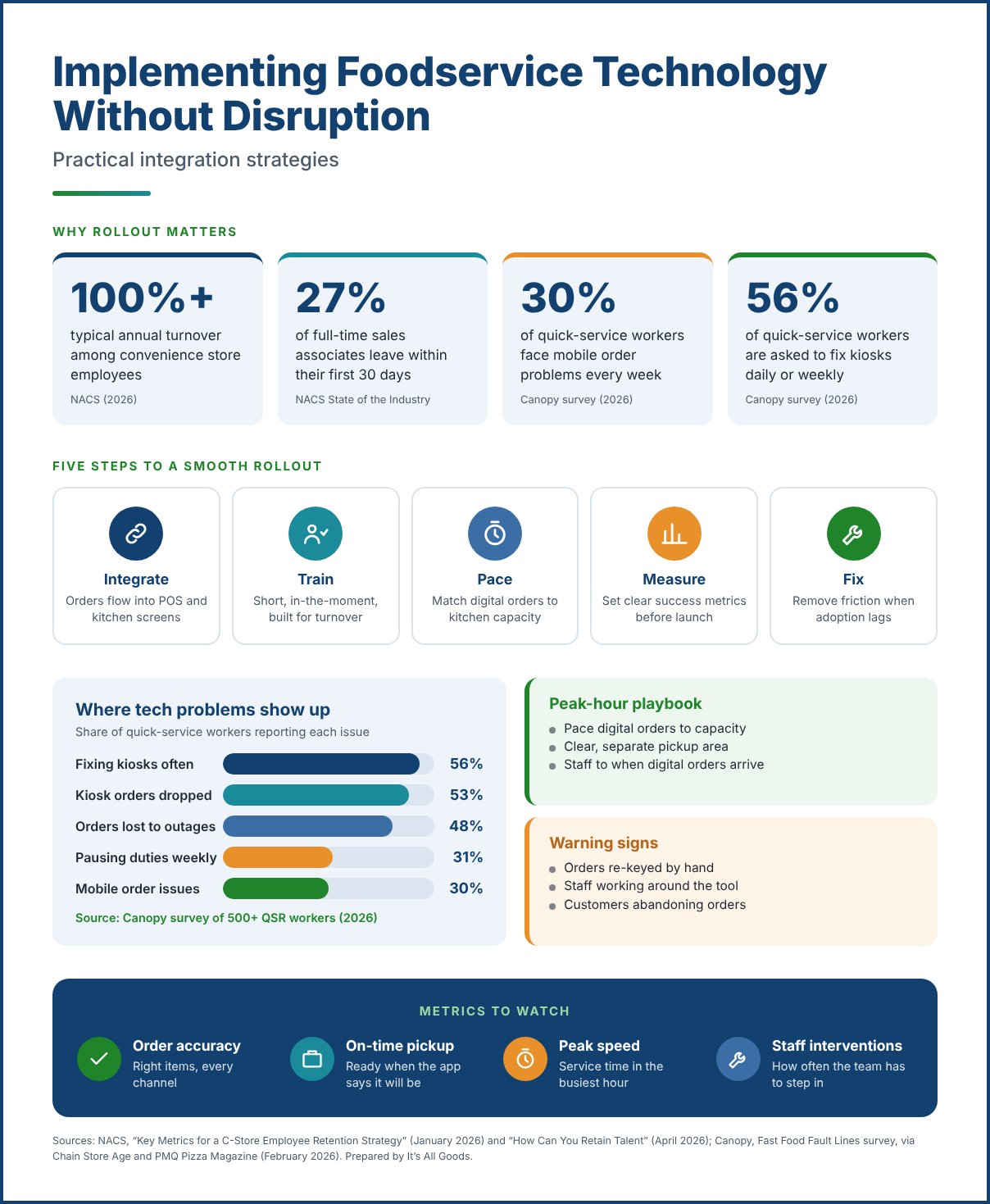
Many foodservice operations added technology one piece at a time. A delivery tablet arrived, then a kiosk, then a loyalty app, each with its own screen and its own process. FSR Magazine described the result in the restaurant industry as “a jigsaw of solutions that didn’t always speak to one another,” and a 2026 survey of 600 restaurant operators by point-of-sale provider TouchBistro found that 26% named POS integration as a barrier to automation.
When systems do not connect, staff fill the gaps by hand. Orders get re-keyed, tickets get missed, and the kitchen works from more than one queue. In a 2026 survey of more than 500 quick-service workers by monitoring-software company Canopy, reported by PMQ Pizza Magazine, 30% said they ran into mobile order problems every week, with mistimed or missing orders causing the most trouble.
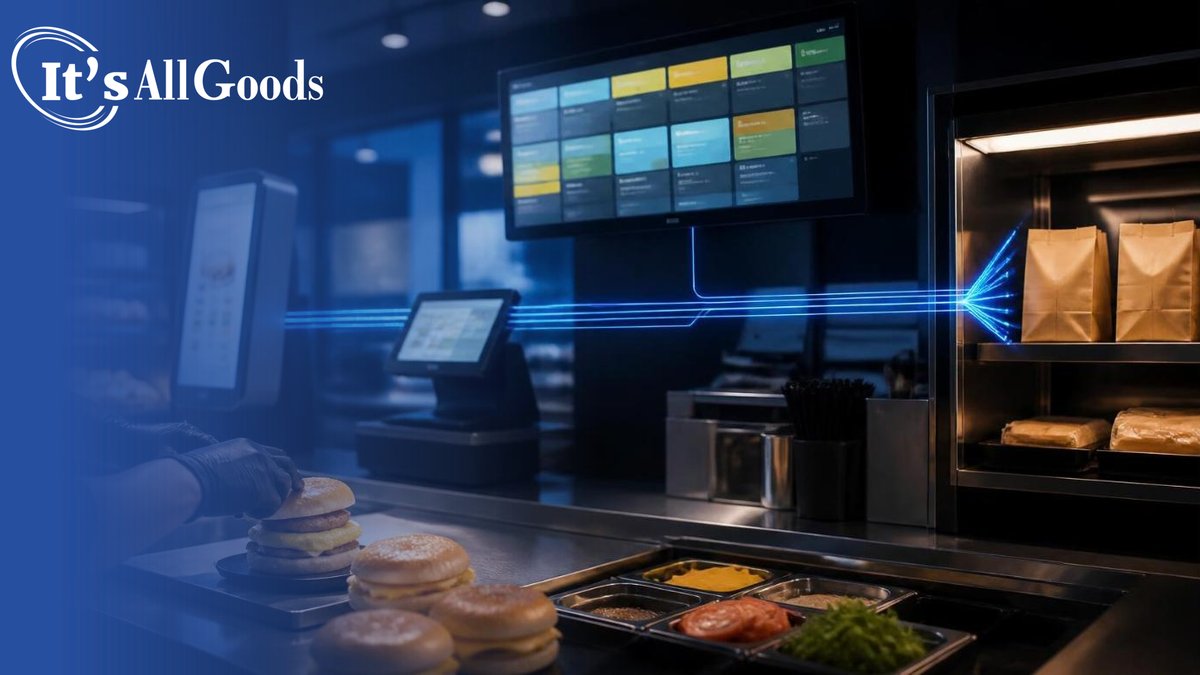
The fix is to treat integration as a requirement rather than a later upgrade. Before signing with a vendor, operators should confirm that new orders will flow into the existing point-of-sale and kitchen display systems, that menu and price changes update everywhere at once, and that the store will not need a separate device for each channel. One restaurant technology leader described the payoff to FSR Magazine after his company connected its delivery orders: “Now, everything just flows into the POS and into the kitchen correctly.”
Convenience retail has to train with turnover in mind. According to NACS’ review of retention metrics, the industry’s average store employee turnover rate typically tops 100%. NACS State of the Industry data shows that more than 27% of full-time sales associates leave within their first 30 days.
That reality changes how technology training should work. A long classroom session on a new system will not reach many of the people who end up using it. Training has to be short, practical, and repeatable: built into onboarding, supported by quick reference guides at the station, and reinforced by shift leaders who know the system well.
The tools themselves can help. Systems with clear screens, few steps, and built-in prompts reduce the amount a new employee has to remember. Each store should also have a go-to person on every shift who can answer questions and fix common problems before they reach the customer.
Peak periods are where technology succeeds or fails. A kitchen that handles digital orders smoothly at 2 p.m. can fall behind at 7 a.m. when walk-in customers, app orders, and delivery tickets all arrive at once.
“You really have to understand what you can actually handle at peak, because that’s where the pressure points start getting applied.”
— Scott Pavlica, Vice President of Finance, Mecha Noodle Bar
Restaurant chains offer useful models. Chipotle, where digital orders made up 38.3% of sales in the second quarter of 2026, runs a separate “digital makeline” for online orders and is rolling out a crew interface designed to improve digital order accuracy, speed, and consistency, according to the company’s second-quarter 2026 earnings call. Restaurants with its new kitchen equipment package were producing two to three more entrées than the rest of the chain in their busiest 15-minute period.
C-stores can apply the same principles at their own scale. Order pacing tools can space digital orders around actual kitchen capacity instead of accepting every order for the same minute. A clearly marked pickup area keeps app customers out of the main line. Some stores may need to limit the digital menu during the busiest hour to items the kitchen can produce quickly. Staffing schedules should reflect when digital orders actually arrive, not just when walk-in traffic peaks.
Technology that is not measured tends to drift. Operators should decide before launch which numbers will show whether a tool is working and review them regularly. Useful measures include order accuracy, on-time pickup, speed of service during peak periods, the share of food sales coming through digital channels, repeat purchases by loyalty members, and how often staff have to step in to fix a problem.
Benchmarks from the restaurant industry show both what is possible and how much people still matter. Intouch Insight’s 2026 drive-thru study of 13 quick-service chains found order accuracy of 89.3%, with an average visit of 5 minutes and 24 seconds. When the service was friendly, customer satisfaction reached 98.6%. When it was not, satisfaction fell to 26.8%. Technology can speed up the order, but the experience still depends on the team.
When a new tool goes unused, the instinct is to blame customers or staff. More often, the cause is friction the store can fix. In Canopy’s survey reported by Chain Store Age, 56% of quick-service employees said they are asked to fix self-service kiosks daily or weekly, 48% had seen customers abandon orders because of technology outages, and 31% had to pause their regular duties at least once a week to deal with technology problems.
Some tests simply do not fit the customer. In January 2026, Wawa announced it would close a Philadelphia store near Drexel University that had required customers to order everything on touchscreens, with no shelves to browse. The company said the test “did not adequately improve performance or deliver an enhanced customer experience,” according to The Philadelphia Inquirer.
When adoption is low, operators should check the basics first. Is the tool easy to find and use? Does it work reliably? Do staff mention it and support it, or work around it? Does it actually save the customer time? The answers usually point to a practical fix: better placement, simpler screens, faster repairs, or clearer communication at the counter.
RaceTrac, the Atlanta-based convenience chain, has built its technology approach around how store teams actually work. In a C-Store Dive interview, Tyler Grubbs, RaceTrac’s executive director of digital and store technology, described an in-store training tool that guides employees through tasks, such as what goes into a specific food order, at the moment they need it rather than relying mainly on up-front training. “You give it to them right in the moment,” he said. “And then you can build on that over time and then move into more advanced trainings.”
RaceTrac also measures before it assumes. Grubbs said leaders once believed 2.5% to 3.5% of the chain’s fuel pumps were down at any given time. After the company began monitoring equipment directly, it brought that figure to about 0.3%. The same thinking extends to foodservice equipment: RaceTrac uses smart plugs to track when bean-to-cup coffee machines are running, because the machines themselves do not send alerts.
“Really it was our own internal processes that didn’t set the tool or the vendor or the capability up for success.”
— Tyler Grubbs, Executive Director of Digital and Store Technology, RaceTrac
Grubbs offered that reflection on an earlier tool that did not deliver, and his lesson applies to any rollout. Clear measures of success, practical training, and processes designed around the tool matter as much as the technology itself.
Foodservice technology rarely fails because the software is wrong. It fails when systems are not connected, when training does not reach the people using it, when the kitchen is overwhelmed at peak, and when no one measures what is happening.
Operators who integrate first, train for turnover, plan for the busiest hour, and track a few clear measures give their technology a real chance to help. Implemented that way, new tools make the food program faster and more reliable instead of adding another source of friction at the counter.
Usually because it is added without full integration, enough training, or a plan for peak periods. Separate systems create manual work, and untrained staff end up working around the tool instead of using it.
Digital orders should flow into the existing point-of-sale and kitchen display systems, with menus and prices updated in one place. Staff should not have to watch separate devices or re-enter orders by hand.
Keep training short and practical, build it into onboarding, provide quick guides at the station, and use tools that guide employees in the moment. A trained point person on each shift helps resolve problems quickly.
Use order pacing based on real kitchen capacity, create a clear pickup area, limit the digital menu during the busiest hour if needed, and schedule staff around when digital orders actually arrive.
Order accuracy, on-time pickup, peak-period speed of service, digital share of food sales, repeat purchases, and how often staff need to intervene to fix problems.

Subscribe to receive latest news
12968 Vallejo Circle, Westminster CO. 80234
Phone: (303) 604-1064